See what's new in WWC 2.1
Overview
Zebra Wireless Workstation Connect (WWC) is an app for Zebra devices running Android that wirelessly connects supported Zebra devices with Zebra ZEC500-series devices capable of "wireless docking." This enables a mobile device to access the monitor, mouse, keyboard and other peripherals connected to the "wireless cradle" as if it were physically docked in a Zebra Workstation Connect cradle.
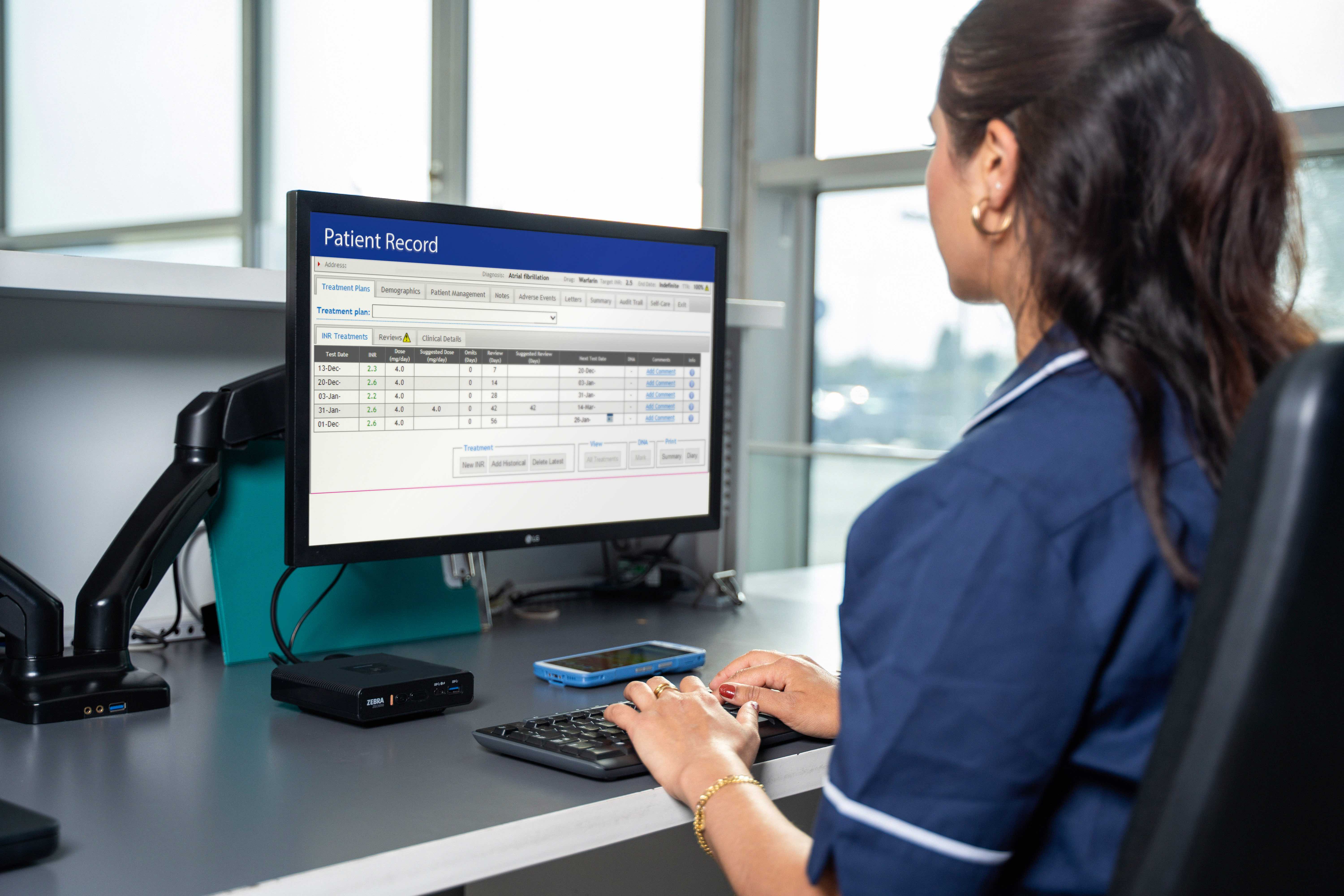 Wireless Workstation Connect allows mobile devices to share ZEC500-connected peripherals as if physically docked.
The WWC app uses Miracast technology, which establishes a Wi-Fi Direct connection between a device running the WWC app (known as the "sender") and a receiving device (the "receiver" or "sink"). The receiver then displays the sender's screen contents on its connected monitor and allows use of its keyboard, mouse and other attached peripherals as if they were physically connected to the mobile device.
 |
 |
 |
|||
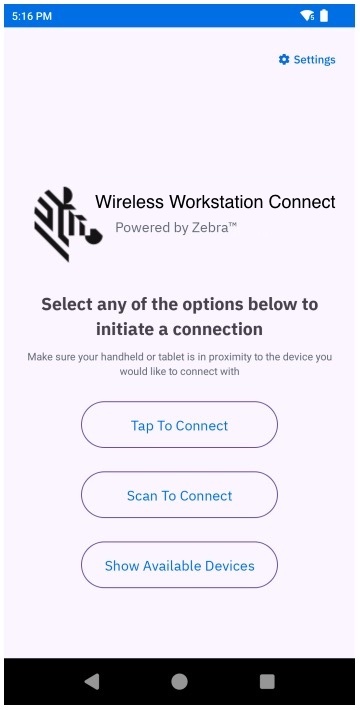
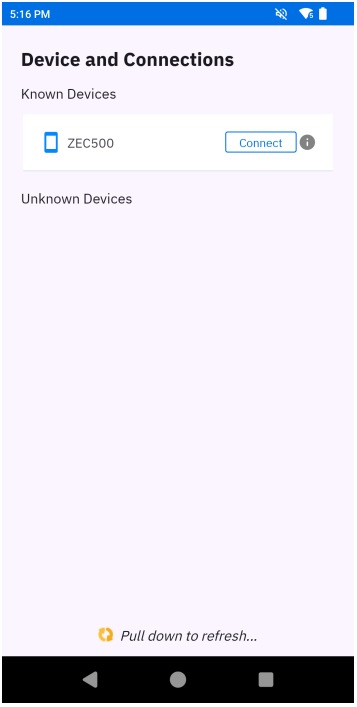
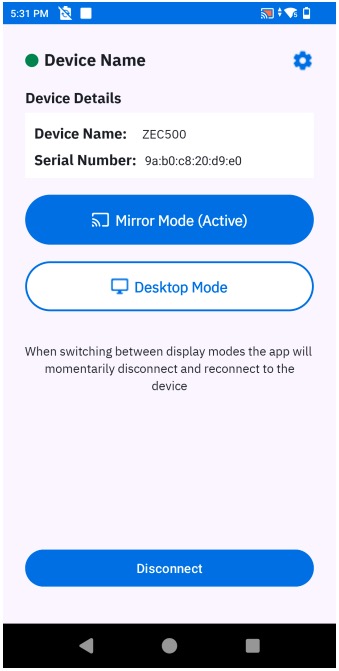
| Wireless Workstation Connect screens |
New in WWC v2.1
Applies to WWC 2.1.8
- Adds support for Corporate-owned, Personally Enabled (COPE) devices.
- Improves scan-to-connect time, allowing devices to connect more quickly to receivers.
- Supports switching between Desktop and Mirror modes without restarting app.
- Reduces the wait time when connecting to a receiver.
- Adds new managed configuration usage notes.
- Implements Zebra Wireless Developer Service APIs.
- Adds support for the devices (with Android versions) shown in the tables below.
For devices running Android 15, minimum LifeGuard software updates required:
| Device Platform (models) | Required Update |
|---|---|
NEW!5430 (EM45, EM45 RFID, ET60, ET65, HC20*, HC25*, HC50, HC55, TC22*, TC27*, TC53, TC58, TC73, TC78) |
15-18-09.00-VG-U00-STD-ATH-04 (or later) |
NEW!6490 (ET60, ET65, HC20*, HC25*, HC50, HC55, TC53, TC58, TC73, TC78) |
15-18-09.00-VG-U00-STD-ATH-04 (or later) |
NEW!6690 (ET401, all variants) |
15-18-30.00-VG-U00-STD-ERS-04 (or later) |
NEW!6690 (TC501, TC701) |
15-16-02.03-VG-U00-STD-ERS-04 (or later) |
For devices running Android 14, minimum LifeGuard software updates required:
| Device Platform (models) | Required Update |
|---|---|
NEW!4490 (TC53e, TC58e) |
14-15-22.00-UG-U138-STD-NEM-04 (or later) |
NEW!5430 (EM45, EM45 RFID, ET60, ET65, HC20*, HC25*, HC50, HC55, TC22*, TC27*, TC53, TC58, TC73, TC78) |
14-34-20.00-UG-U00-STD-ATH-04 (or later) |
* Indicates a Zebra Professional-series device; Mobility DNA Enterprise license purchase required for ZWC. Learn more about Zebra licensing.
See all supported Zebra devices
See Zebra device models by platform
Version History
Added in WWC v2.0
- Now supports devices running Android 15
- Adds support for the Zebra ET401 tablet
- Enhanced and revised Setup Guide
- Adds support for secure mass deployment of configuration files through Zebra Secure Storage Manager
- Adds support for programmatic mass configuration using a
.JSONconfiguration file, which holds all the restrictions to be applied.
Learn more about the programmatic pairing API and secure config-file deployment.
Added in WWC v1.0
- Initial release
Also See
- WWC Setup Requirements | Links to supported devices and required Android and BSP versions
- Using Wireless Workstation Connect | Usage notes, behavior, ZEC500 power settings and other info
- Frequently Asked Questions | Info and best practices for optimizing the WWC experience
- Download Wireless Workstation Connect | Get the Android app from the Zebra Support Portal
- WWC Online Administrator Guide | HTML version of the full administrator's technical reference
- WWC Online User Guide | HTML version of the full usage reference
- ZEC500 Quick Start Guide | HTML version of the fast-setup guide
- ZEC500 Product Reference Guide | HTML version of the full technical reference
NEW!Developer's Guide to Wireless Connection | How to integrate ZEC500 connection with an app